Hypothesis is a “social annotation” tool, focused on deeper engagement with course materials, critical reading, and dialogue between students and instructors. Instructors provide reading or video materials to students, who can then annotate and add comments to discuss with one another. Hypothesis is best used to create a discussion centered around a reading or other course resource.
Adding Annotations to Hypothesis
- Select the title of the Hypothesis exercise in the Content module in D2L.
- Read the article.
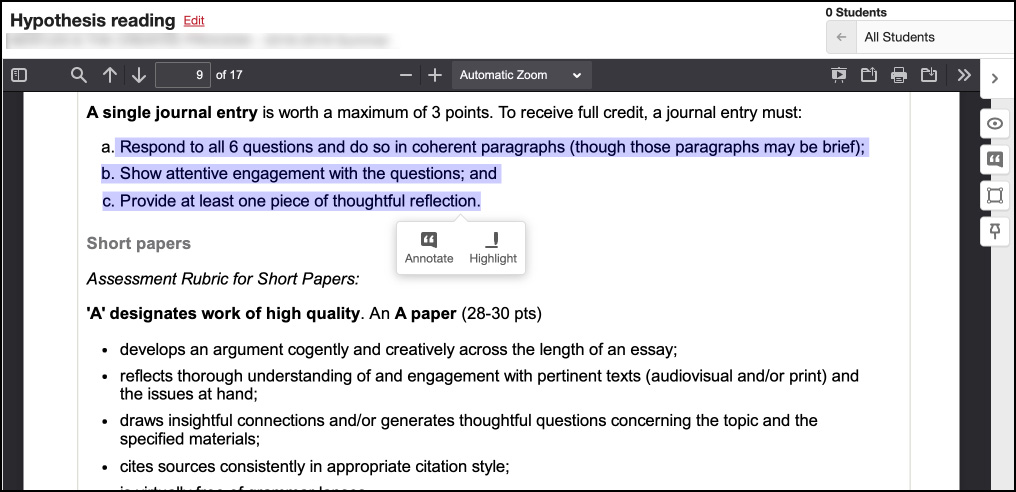
- Select the text to be annotated by clicking and dragging. Choose Annotate.
-
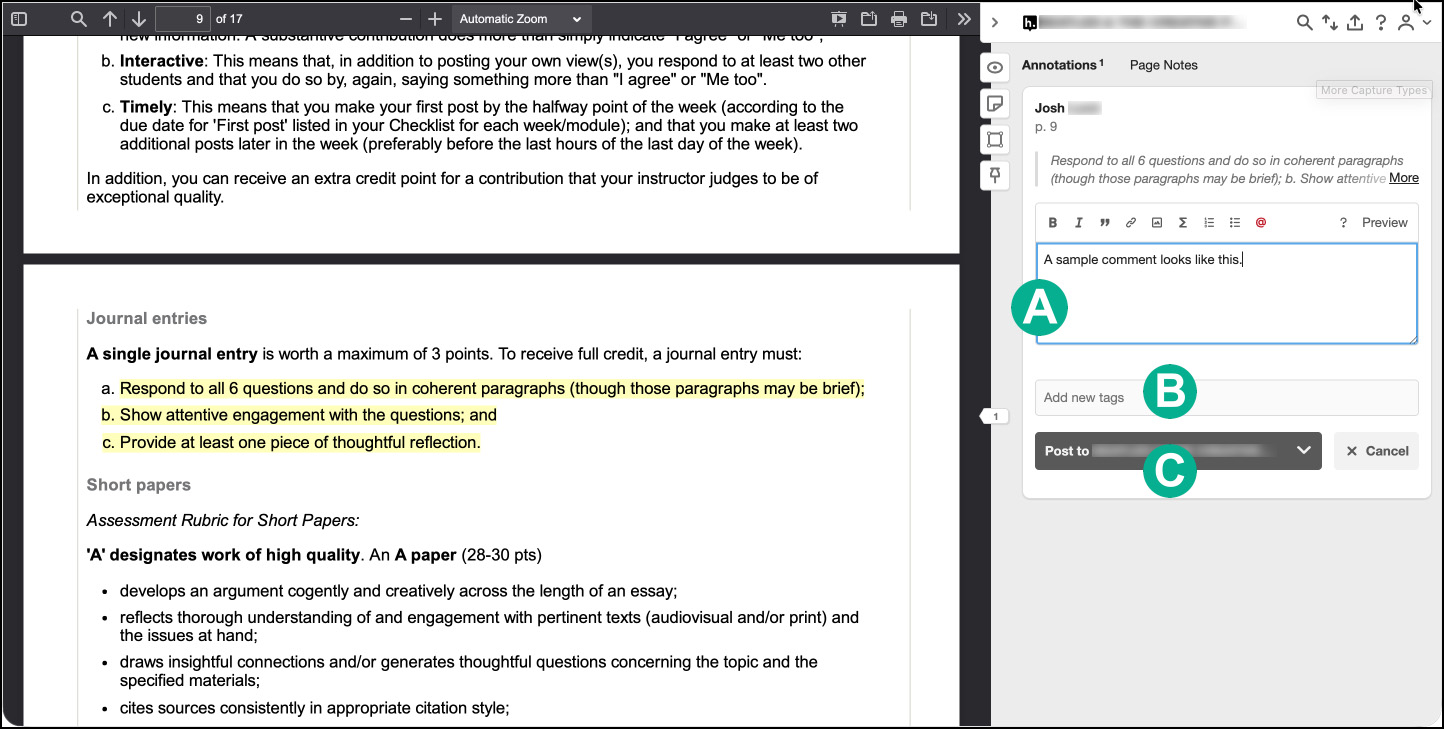
Type a comment in the box that appears [A].
- Add any tags [B], or leave the space blank.
- Select “Post to (the discussion)” [C].
Replying to comments in Hypothesis
- Select the title of the Hypothesis exercise in the Content module in D2L.
- Read the article and classmates’ comments.
- Select the comment to reply to from the sidebar.
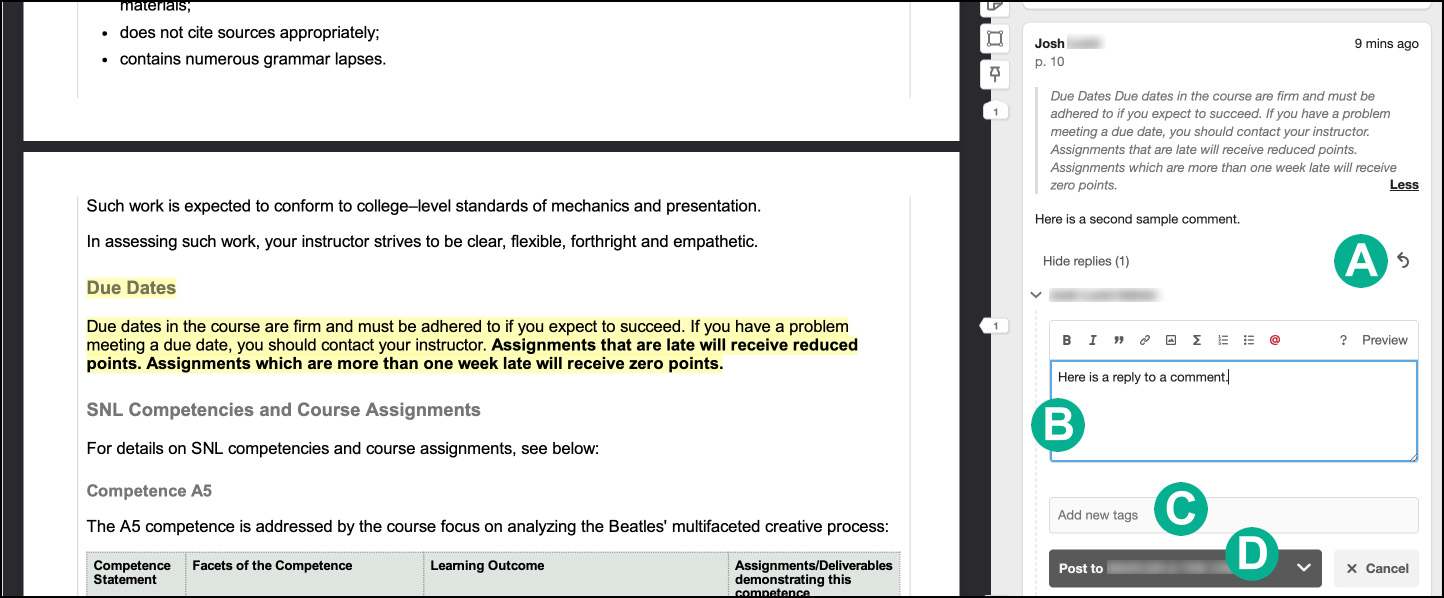
- Select the arrow icon [A] at the bottom of a comment to reply.
- Type a comment in the box that appears [B].
- Add any tags [C], or leave the space blank.
- Select “Post to (the discussion)” [D].